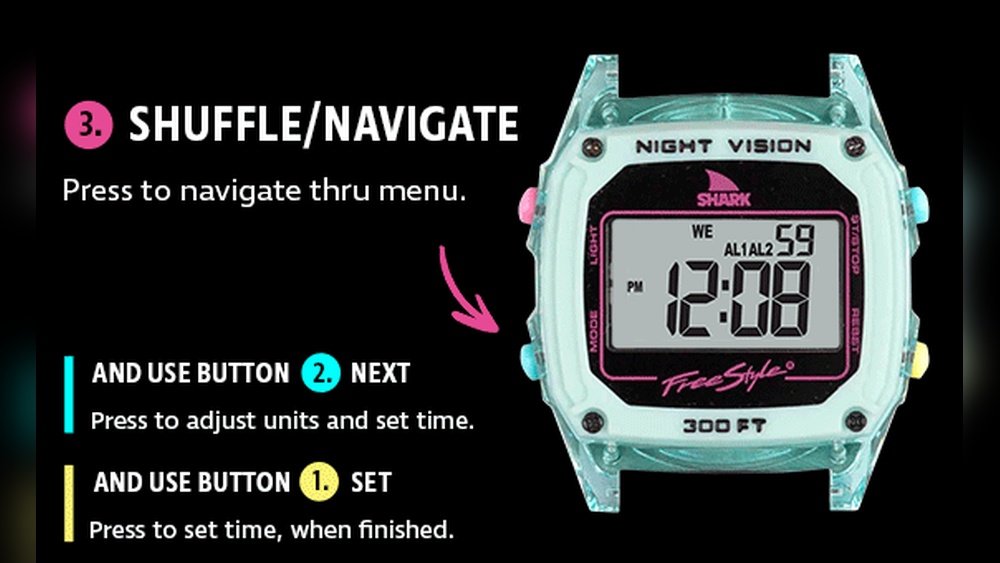
Setting the time on your Shark watch might seem tricky at first, but it doesn’t have to be. Whether you own a digital or analog Shark watch, knowing how to quickly and accurately adjust the time ensures you’re always on schedule.
In this guide, you’ll find simple, step-by-step instructions tailored for your Shark watch model. By the end, you’ll be confidently setting the time — and even adjusting for daylight saving — without any hassle. Keep reading, and never miss a beat with your Shark watch again!

Credit: www.youtube.com
Shark Watch Time Modes
The Shark Watch offers two main time display options: digital and analog. Each mode shows time differently but both are easy to set. Understanding these modes helps you keep your watch accurate and stylish.
Digital Time Mode
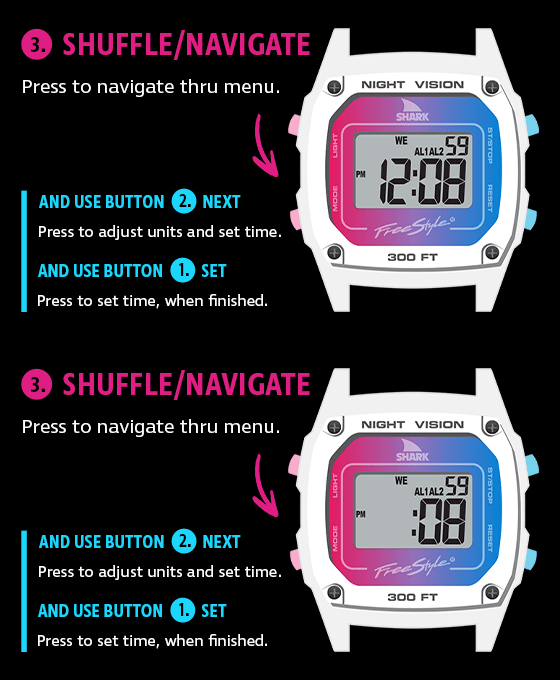
Digital mode shows time with numbers on an LCD screen. Press the Mode button to enter digital time mode. Hold the Set button until the numbers blink. Use the Adjust button to change hours, minutes, and seconds. Press Mode to move between time fields. Press Set to save your changes and exit. This mode also lets you set the date and day easily.
Analog Time Mode
Analog mode displays time with hour and minute hands. To set it, pull the crown (small knob) out gently. Turn the crown to move the hands to the correct time. Push the crown back in to start the watch. Analog setting is simple and quick. It gives your Shark Watch a classic look while keeping time precise.
Setting Time On Digital Shark Watches
Setting the time on digital Shark watches is simple and quick. These watches have easy-to-use buttons that let you change the hours and minutes with no hassle. Knowing the right steps helps you keep your watch accurate and ready to wear every day.
This guide breaks down the process into clear steps. Follow these to set the time correctly on your digital Shark watch.
Entering Time Mode
Press the Mode button, usually at the lower left. Keep pressing it until the main time display appears. This is the normal time view where you start the setting process.
Activating Time Setting
Hold down the Set button, often found at the lower right. Wait until the digits start blinking. Blinking means you can now change the time.
Adjusting Hours And Minutes
Use the Adjust button, often at the upper right, to change numbers. Press it to increase the hours or minutes. The digits will move up with each press.
Navigating Between Fields
Press the Mode button again to move to the next part. Switch from seconds to minutes, then to hours. Keep pressing until you reach the field you want to change.
Saving Changes
Once the time is correct, press the Set button one last time. This saves your changes and stops the blinking. Your watch now shows the right time.
Setting Time On Analog Shark Watches
Setting the time on an analog Shark watch is simple and quick. These watches use a crown to adjust the hour and minute hands. Knowing how to operate the crown properly ensures your watch shows the correct time. Follow these steps to set your analog Shark watch accurately.
Unscrewing The Crown
Start by locating the crown on the right side of the watch. Many Shark watches have a screw-down crown to protect against water. Turn the crown counterclockwise to unscrew it gently. Stop once the crown pops out slightly. Do not force it to avoid damage.
Pulling The Crown Out
After unscrewing, pull the crown out carefully. Most Shark watches have two positions for the crown. The first position sets the date, and the second sets the time. Pull the crown all the way out to reach the time-setting mode.
Adjusting The Hands
Turn the crown slowly to move the hour and minute hands. Rotate clockwise or counterclockwise until the correct time appears. Move the hands past 12 to check for AM or PM. Set the exact time by aligning the hands with the correct hour and minute marks.
Securing The Crown
Push the crown back in gently after setting the time. For screw-down crowns, press and turn the crown clockwise to screw it back. This action locks the crown and prevents water or dust from entering. Make sure it is secure but avoid overtightening.
Adjusting Date And Day
Setting the correct date and day on your Shark watch ensures you stay on schedule. The process is simple and quick. With a few button presses, your watch will display accurate calendar information.
This section explains how to adjust the date and day easily. Follow these clear steps to make your watch show the right day and date every time.
Date Setting Steps
First, press the Mode button until you see the time screen. Then, hold the Set button until the numbers start blinking. This means the watch is ready to change.
Press the Mode button again to reach the date setting. Use the Adjust button to change the date number. When the correct date shows, press Set to save it.
Day Setting Steps
After setting the date, press Mode to move to the day setting. The day will blink on the screen. Use the Adjust button to cycle through the days of the week.
Stop when the watch shows the right day. Press Set one last time to confirm all changes. Your Shark watch now shows the correct day and date.
Tips For Different Shark Models
Setting the time on a Shark watch can vary slightly depending on the model you own. Knowing these differences helps you set your watch quickly and accurately. Follow these tips tailored for various Shark watch models to avoid confusion and enjoy your watch’s full features.
Button Label Variations
Shark watches use different button labels. Some models have buttons labeled Mode, Set, Start/Stop, and Adjust. Others use letters like A, B, C, and D instead. Knowing your watch’s button labels helps you follow the correct steps to set the time.
For example, press the Mode button or button A to enter time setting mode. Then hold the Set button or button B until the digits blink. Use the Adjust or Start/Stop button to change the numbers. Press Mode again to move between hours, minutes, and seconds.
Manuals And Model Guides
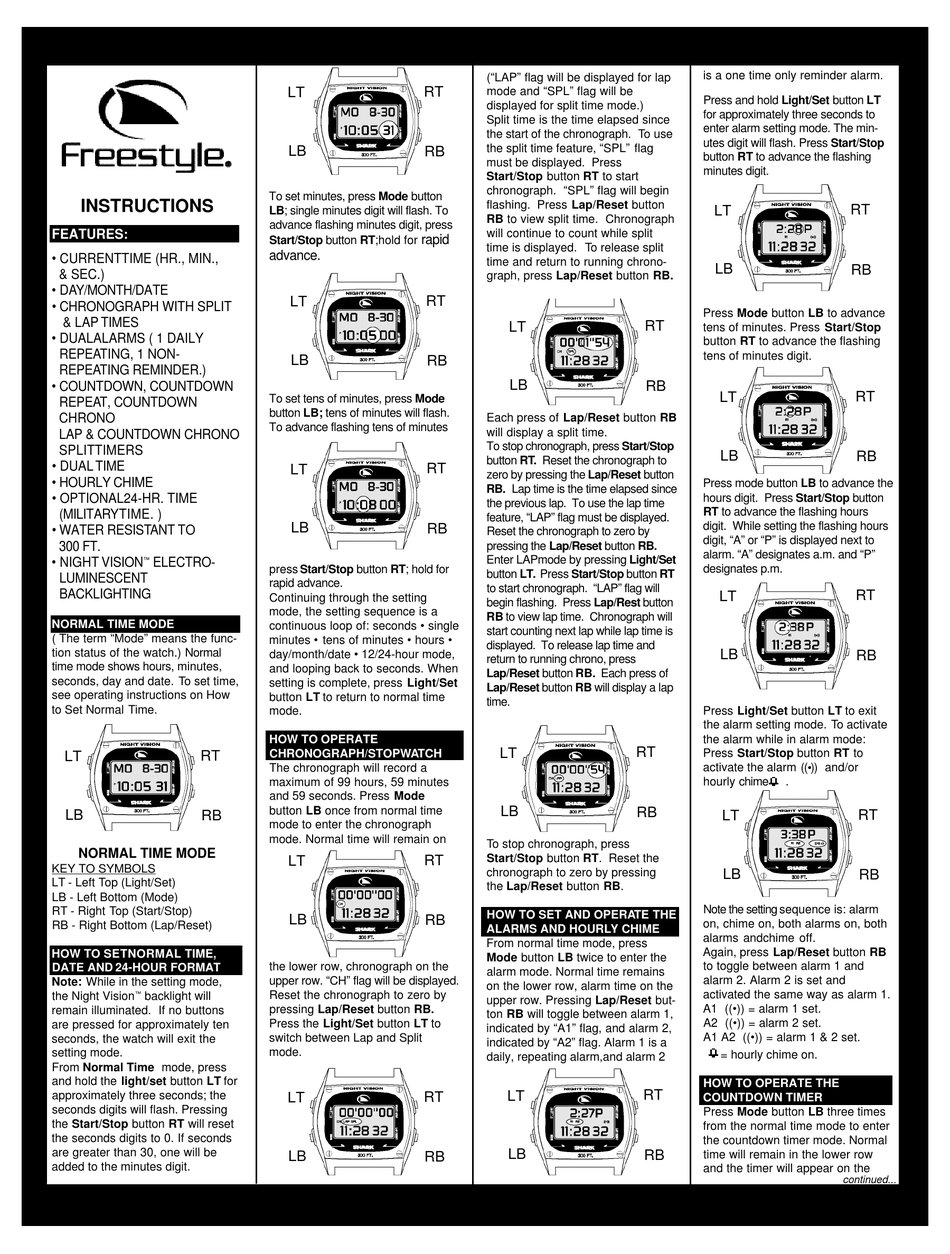
Each Shark watch model has its own manual. These manuals provide exact instructions for setting the time, date, and alarm. You can find most manuals online on the Freestyle USA website. Download your specific model’s PDF manual for detailed guidance.
Manuals also include troubleshooting tips. They help if your watch buttons behave differently or if you face issues during setup. Keeping your manual handy ensures you never miss a step.
Dealing With Daylight Saving Time
Adjusting your Shark watch for daylight saving time is simple. Usually, you only need to change the hour manually. Enter time setting mode, then increase or decrease the hour by one.
This quick adjustment keeps your watch accurate during fall and spring changes. Some models may have a dedicated daylight saving mode, but manual adjustment works for all. Always confirm and save your settings before exiting.
Handling Time Zones And Foreign Time
Handling time zones and foreign time on your Shark watch helps keep your schedule accurate. Traveling or working across different zones requires quick adjustments. Your watch offers features to manage these changes easily. Understanding these functions ensures you never miss important events or appointments.
Switching Time Zones
To switch time zones, first enter Time Mode by pressing the Mode button. Hold the Set button until the time digits blink. Use the Adjust button to change the hour to your new time zone. Press Mode to move through minutes and seconds if needed. Confirm your changes by pressing Set again. This method helps update local time quickly while traveling.
Using World Time Features
Many Shark watches include World Time features. This lets you view the time in different cities worldwide. Press the Mode button to access World Time mode. Use the Adjust button to scroll through preset cities. Select the city that matches your desired time zone. This feature helps track multiple time zones without changing your main time. It is perfect for global communication or planning.
Troubleshooting Common Issues
Troubleshooting common issues with your Shark watch saves time and avoids frustration. Some problems appear often but have simple fixes. Understanding these helps you keep your watch running smoothly.
Watch Not Responding
Check the battery first. A dead battery often causes no response. Try pressing and holding the Mode button for a few seconds. If nothing happens, replace the battery. Also, clean the buttons gently to remove dirt or moisture. Avoid pressing buttons too hard as this may damage internal parts.
Buttons Not Working
Dirt and debris can block button function. Clean around the buttons with a soft cloth. Test each button separately to find which one fails. Sometimes, buttons stick due to moisture. Let the watch dry in a warm, dry place. If buttons remain stuck, professional repair may be needed.
Time Not Saving
After setting the time, make sure to press the Set button to confirm. Forgetting this step will prevent saving changes. If time resets after battery replacement, check battery installation. Incorrect battery placement can disrupt memory. Reset the watch if problems continue by removing the battery for a few minutes, then reinstalling it.
Credit: www.gmdckalakote.in
Credit: batistafamilia.com.br
Frequently Asked Questions
How Do I Get My Shark Watch Back To Time?
Press Mode until time shows, hold Set until digits blink. Use Adjust to change hours and minutes. Press Set to save.
How Do You Change The Time On Your Watch?
To change your watch time, pull out the crown or press the mode button. Adjust hours and minutes using the crown or buttons. Push the crown back or press set to save. For digital watches, enter time mode, hold set until digits blink, then adjust and confirm.
How To Make Correct Time In Digital Watch?
Press the Mode button until time shows. Hold Set button until digits blink. Use Adjust to change hours, minutes, seconds. Press Mode to switch fields. Press Set to save and exit.
Are Shark Watches Collectible?
Shark watches have collectible appeal due to unique designs and limited editions. Enthusiasts often seek specific models. Their value can increase over time with rarity and condition.
Conclusion
Setting the time on your Shark watch is simple and quick. Follow the steps carefully and use the correct buttons. Take your time to adjust hours, minutes, and date. Remember to save your settings before exiting. If unsure, check the manual for your model.
Keeping your watch on time helps you stay punctual every day. Practice a few times to feel confident. Enjoy your perfectly set Shark watch!